What's new in TeamForm? Here are the features and updates we released in June.
Product Releases
Ask TeamForm AI: more accurate answers
Ask TeamForm AI, which lets you ask questions of the data in TeamForm, is reaching its second major update. Several improvements have landed for accuracy and capability:
- Acronym and abbreviation awareness: the AI now understands organisation-specific abbreviations and acronyms when answering questions.
- Demand vs supply FTE clarity: questions about headcount and FTE for demand teams now distinguish between direct members and rolled-up totals.
- Role-based count accuracy: queries like "How many Principal Engineers do we have?" now return more accurate, verified counts by cross-referencing tags and job-title data.
- Timezone overlap analysis: you can now ask questions like "Which teams have less than 4 hours of timezone overlap between members?"
- Supply and demand dashboards: dashboards showing supply and demand metrics are now available as part of the Ask TeamForm experience.
These improvements make Ask TeamForm more useful for data-driven workforce questions that previously required manual reporting or spreadsheet analysis. Better accuracy in counts, terminology and FTE breakdowns makes AI-assisted insights more actionable.
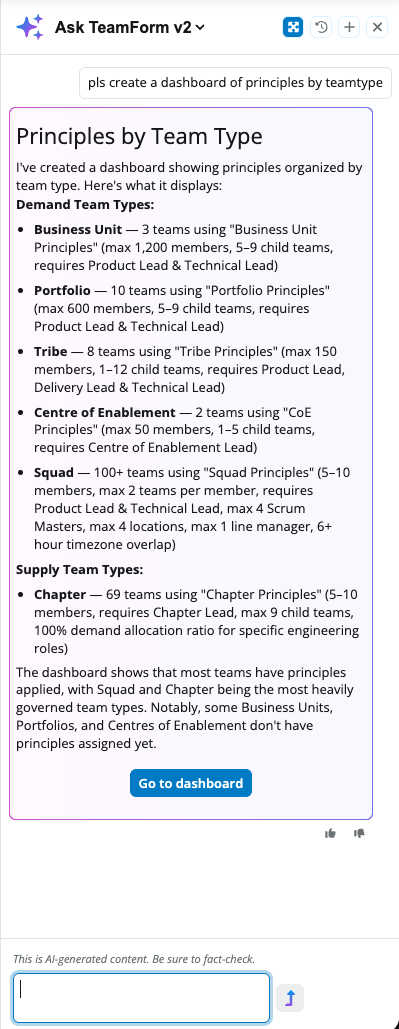
Talk to your Customer Success or Support team for a demo and to provide feedback.
TeamForm MCP Server (Preview)
We've deployed the infrastructure for the TeamForm MCP (Model Context Protocol) Server: a hosted, secure endpoint that lets AI agents like Claude and ChatGPT connect directly to TeamForm data. A single shared URL with claim-based tenant dispatch means AI tools can run structured queries such as search, introspection and validation against live TeamForm data using standard OAuth authentication.
This unlocks a new class of AI-powered workflows. Instead of exporting data to a spreadsheet and pasting it into an AI chat, tools can now query TeamForm directly, asking questions like "Which teams have cloud security skills?" and getting structured, real-time answers. The MCP contract is stable and designed for production use.
Product Improvements
Planner and Forecast: tag enhancements
Richer ways to describe what planned FTE should look like, including tags, person fields and breakdowns.
Allocation: planning period config
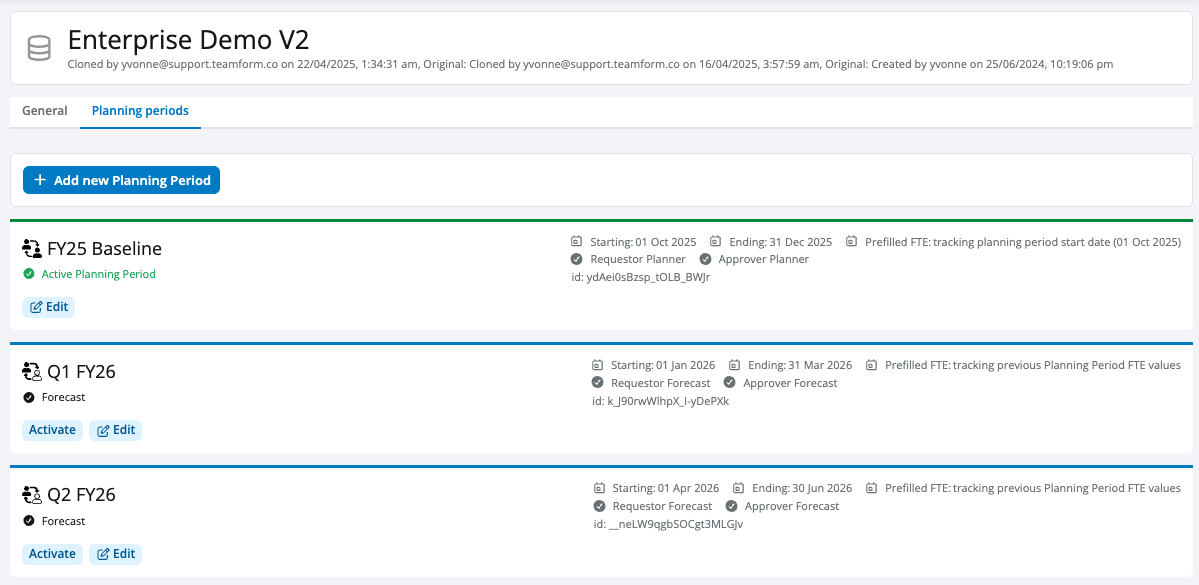
We've relocated the planning period configuration settings into the Settings, Allocation config page under its own tab, so they are colocated and no longer hard to find (previously they lived under the Data Integrations page, even though this isn't a data integration). A reminder and redirect option has been added to the Data Integration page in case users go looking there.

Org chart: compare mode enhancements
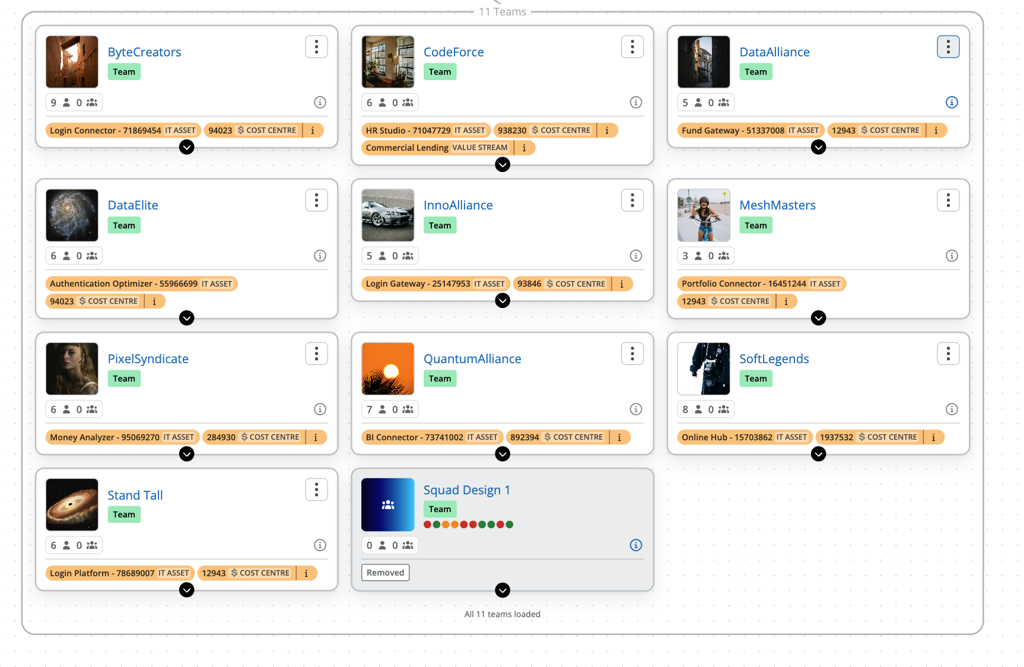
Org chart compare mode now includes additional data points such as "removed" and "departed" status when someone has left a team or the people data set, and overall loading speed has improved. Change reviews are clearer and faster, helping teams understand exactly what has changed between structures before progressing a design or communicating updates.
Org design: edit mode experience
You can now drag and drop people and supply teams within edit mode on the org chart, not just demand teams. Move one or more people between supply teams, or reorganise supply teams under a new parent, all governed by the existing workspace settings for changing and modifying supply teams. Multi-select is supported by holding Shift to select multiple items.
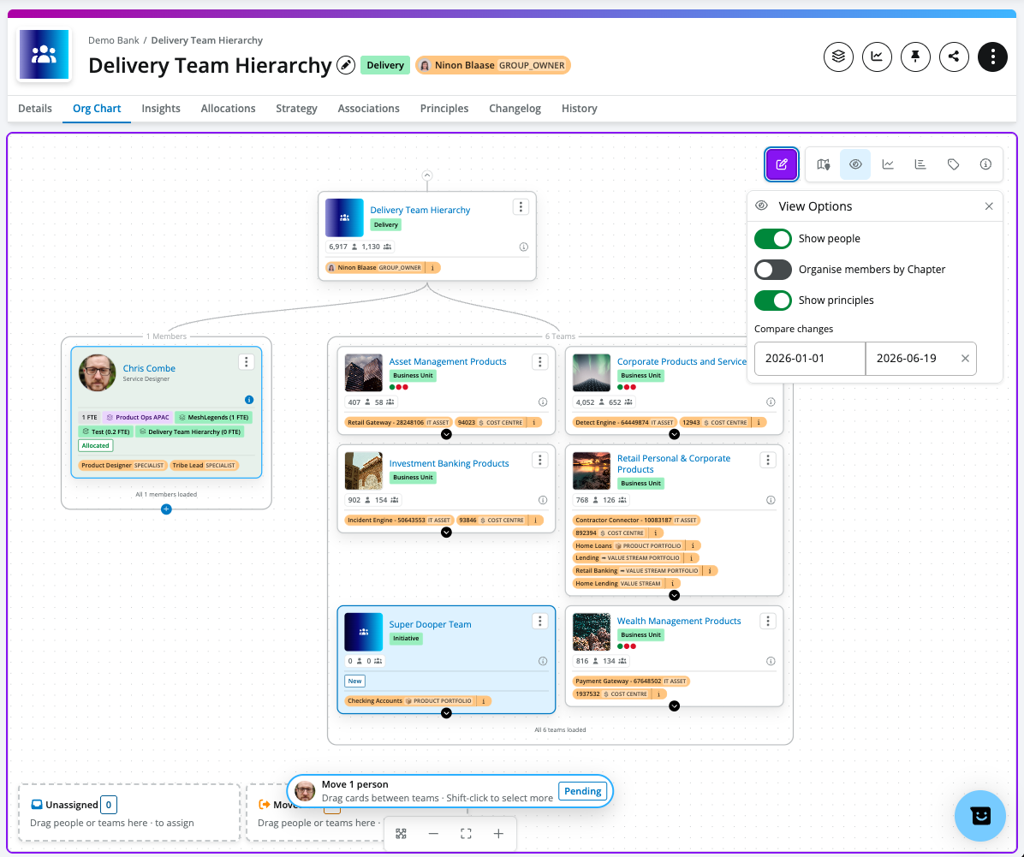
Removing people and teams during an org design is now faster and clearer:
- Quick removal: end a person's allocation in one or two clicks without opening the allocations modal.
- Cascade on delete: deleting a team now automatically deallocates all descendant people and teams, with a confirmation prompt.
- Clearer diff labels: the org chart diff view now uses "removed" instead of "moved out" when people or teams are removed, making the change log easier to understand.
Previously, removing people during a design required multiple steps through the allocations modal. These changes make cleanup and restructuring work much faster, especially when dealing with teams that have been dissolved or people who have departed.
Talk to your Customer Success team for a demo and to provide feedback.
Coming Soon
Planner and Forecast: demand requests
Demand requests are coming to Planner and Forecast to help teams capture unfilled demand directly in the plan. Planners will be able to describe demand by dimensions such as location, worker type, job title or other configured fields, so supply teams understand not just how much FTE is needed, but what kind of capacity is required.
Demand can be preserved even when a role is vacant or a person leaves, making it easier to rehire, reallocate or adjust plans without losing the original workforce signal.
Org design enhancements
- Improved changelog while you design: summaries of people and team changes over a period, with export to support transitioning a design into your people systems.
- Easier access controls: clearer rules for who can change org designs.
- Manage and plan in-flight designs: a structured org design experience for customers running repeatable design work.
- Supervisory org design: improved capabilities for visualising and changing a team or org unit's owner or manager as part of your org design, now supported via the org chart canvas and the team profile header.
Org charts
- Improved layout of people and teams, including a more natural layout for the classic org chart view.
Want to learn what's on the TeamForm product roadmap? Book a demo.